

Introduction
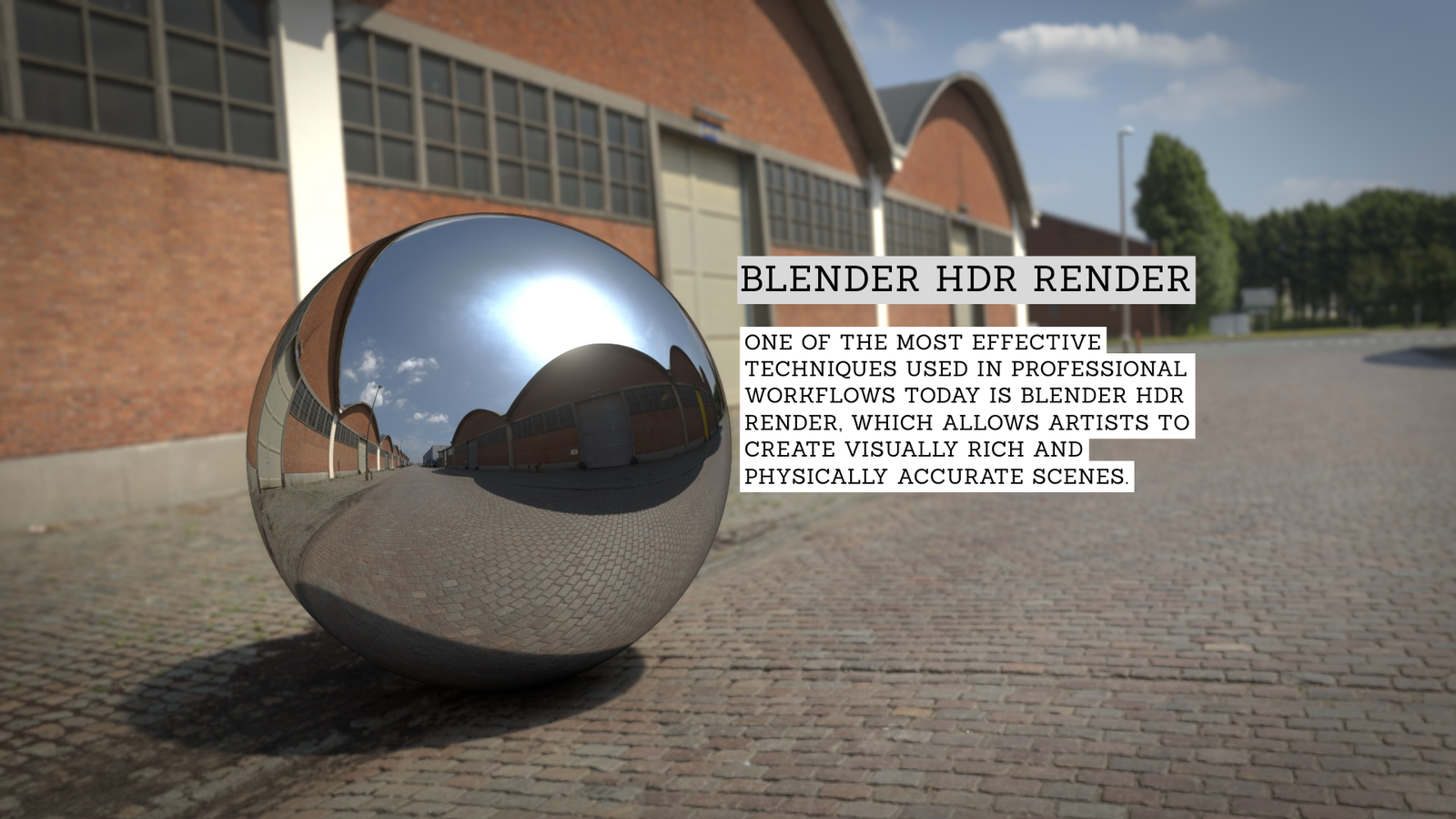
In modern 3D design, realism has become one of the most important goals for artists working in animation, architecture, gaming, and product visualization. Lighting plays the most crucial role in achieving this realism. One of the most effective techniques used in professional workflows today is Blender HDR render, which allows artists to create visually rich and physically accurate scenes.
Blender is a powerful open-source 3D creation tool that already supports high dynamic range workflows as part of its rendering system. A Blender HDR render is not a separate feature or a single setting. Instead, it refers to a complete workflow where lighting, shading, and output are handled in a way that preserves full brightness and shadow detail.
In simple terms, Blender HDR render allows images to store a much wider range of light values than traditional images. This means highlights are brighter, shadows are deeper, and transitions between light and dark areas look more natural and cinematic.
Understanding HDR in Blender
HDR stands for High Dynamic Range, and it is the core concept behind Blender HDR render. In real life, our eyes can see a huge range of brightness levels—from very dark shadows to extremely bright sunlight. Standard digital images cannot fully capture this range, which is why they often look flat or unrealistic.
Blender solves this problem by using floating-point precision internally during rendering. This allows Blender HDR render to store values far beyond the normal 0 to 1 brightness range. As a result, lights, reflections, and shadows are calculated with realistic intensity instead of being artificially limited.
This system makes Blender HDR render especially useful for creating scenes that feel natural and physically accurate. Even small lighting details, like reflections on metal or soft shadow gradients, are preserved with high precision.
HDR Rendering vs Standard Rendering
To clearly understand Blender HDR render, it is important to compare it with standard rendering workflows. Traditional rendering usually relies on formats like JPEG or PNG. These formats are limited in dynamic range, meaning they cannot store very bright or very dark values properly.
Because of this limitation, standard renders often suffer from issues such as overexposed highlights or completely black shadows. Important visual information is lost permanently.
In contrast, HDR-based workflows used in Blender HDR render preserve all lighting data using high-precision formats like OpenEXR. This allows artists to adjust brightness, contrast, and exposure even after rendering is complete. This flexibility is one of the main reasons professionals prefer HDR workflows for film, animation, and architectural visualization.
| Topic | Blender HDR Render |
|---|---|
| Type | 3D Rendering Workflow |
| Software | Blender |
| Purpose | Realistic lighting and high-quality images |
| Core Concept | High Dynamic Range (HDR) lighting |
| Main Use | Film, animation, architecture, product design |
| Key Feature | Preserves full light and shadow details |
| Best Engine | Cycles (for final renders) |
| Common Format | OpenEXR (.exr) |
| Lighting Method | HDRI environment lighting |
| Benefit | More realistic and cinematic visuals |
HDRI Lighting in Blender
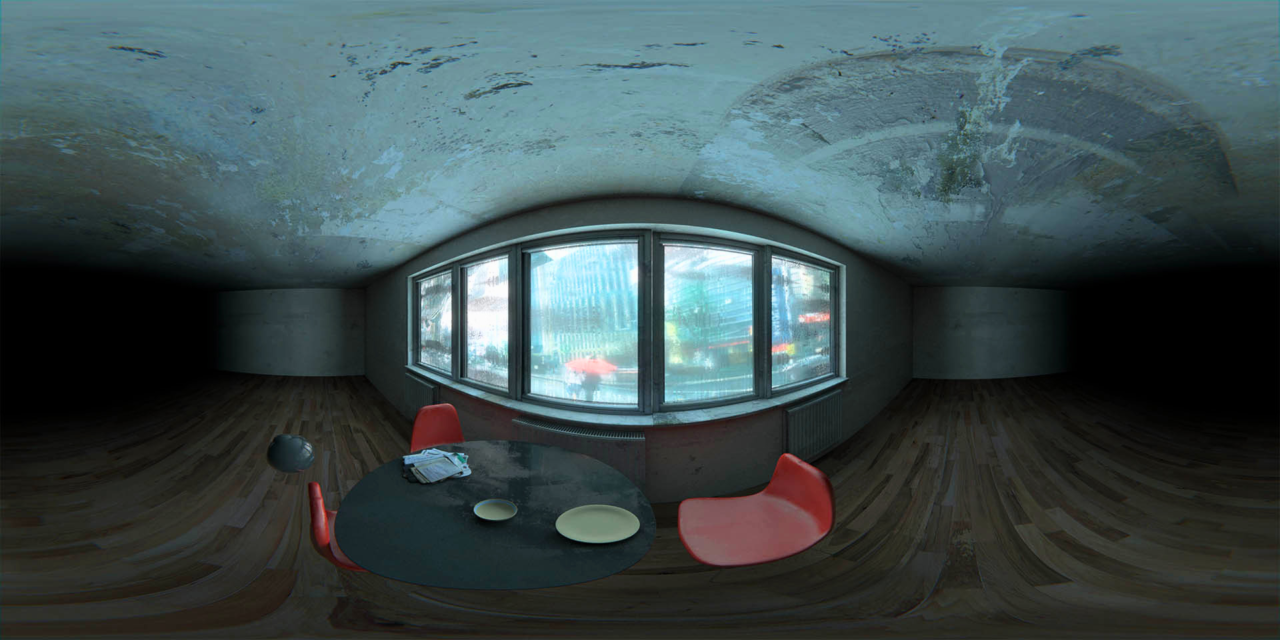
One of the most practical uses of HDR is HDRI lighting, which plays a major role in Blender HDR render workflows. HDRI stands for High Dynamic Range Imaging, and it refers to panoramic images that capture real-world lighting information.
When an HDRI is used in Blender, it acts as a realistic environment light source. This means the scene automatically receives natural lighting based on the image. For example, a sunset HDRI creates warm tones and long shadows, while a cloudy sky HDRI produces soft and evenly distributed lighting.
This technique greatly improves the quality of Blender HDR render because it removes the need for manually placing multiple light sources. Instead, a single HDRI image can define the entire lighting mood of a scene, making it both efficient and realistic.
Cycles, Eevee, and Rendering Workflow
Blender provides two main rendering engines: Cycles and Eevee. Both support Blender HDR render, but they handle it in different ways.
Cycles is a physically based rendering engine that simulates real-world lighting behavior with high accuracy. It calculates light paths, reflections, and global illumination in detail, making it the preferred choice for final Blender HDR render output in professional pipelines.
Eevee, on the other hand, is a real-time rendering engine. It is designed for speed and interactivity, which makes it ideal for previews and fast iterations. While Eevee supports HDR lighting, it uses approximations instead of full physical simulation. This means results are faster but slightly less accurate compared to Cycles.
Together, both engines support different stages of the Blender HDR render workflow depending on production needs.
Color Management and Image Quality
Color management is a critical part of achieving a proper Blender HDR render. Since HDR values can exceed the display limits of standard monitors, proper tone mapping is required to convert them into a viewable image.
Blender uses Filmic color management by default, which is specifically designed to handle high dynamic range data. It compresses extreme brightness levels while preserving important visual details in highlights and shadows.
Without proper color management, a Blender HDR render may appear too bright, too dark, or unrealistic. Filmic ensures that the final image maintains a natural and cinematic appearance across different display devices.
HDR Output Formats and Post-Processing
The output format plays a very important role in preserving the quality of Blender HDR render. Standard formats like JPEG or PNG are not suitable because they remove HDR information during compression.
Instead, professional workflows rely on formats such as OpenEXR. This format supports high-precision floating-point data and is widely used in the film and animation industry. It also allows multiple render passes, which is useful for compositing and editing.
Using proper HDR formats ensures that every Blender HDR render maintains full lighting information, allowing artists to make adjustments later without losing quality.
Why HDR Rendering Matters
HDR rendering has become a standard in modern 3D production because it closely matches real-world lighting behavior. Without HDR workflows, digital images often look artificial and lack depth.
With Blender HDR render, artists gain full control over lighting, exposure, and color grading. This makes it possible to create scenes that feel more immersive and believable. It is especially important in industries where visual quality directly impacts user experience, such as advertising, filmmaking, and architectural design.
Conclusion
In conclusion, Blender HDR render is an essential technique for achieving realistic and professional-quality 3D visuals. It allows artists to work with full lighting information, resulting in more natural shadows, brighter highlights, and smoother gradients.
From HDRI lighting and Cycles rendering to Filmic color management and OpenEXR output, every part of Blender HDR render contributes to a more powerful and flexible workflow. While it may take time to understand, mastering it opens the door to industry-level rendering quality inside Blender.
Ultimately, Blender HDR render transforms simple 3D scenes into visually rich and cinematic experiences that closely resemble real-world photography.
FAQs
Q: What is Blender HDR render?
A: It is a rendering method in Blender that uses high dynamic range lighting for realistic images.
Q: Why is HDR important in Blender rendering?
A: It keeps full light and shadow details, making scenes look more natural.
Q: Does Blender HDR render need special software?
A: No, Blender already supports HDR rendering by default.
Q: What file format is best for HDR renders?
A: OpenEXR is best because it preserves full lighting data.
Q: Where is Blender HDR render used?
A: It is used in animation, architecture, gaming, and product design.
